
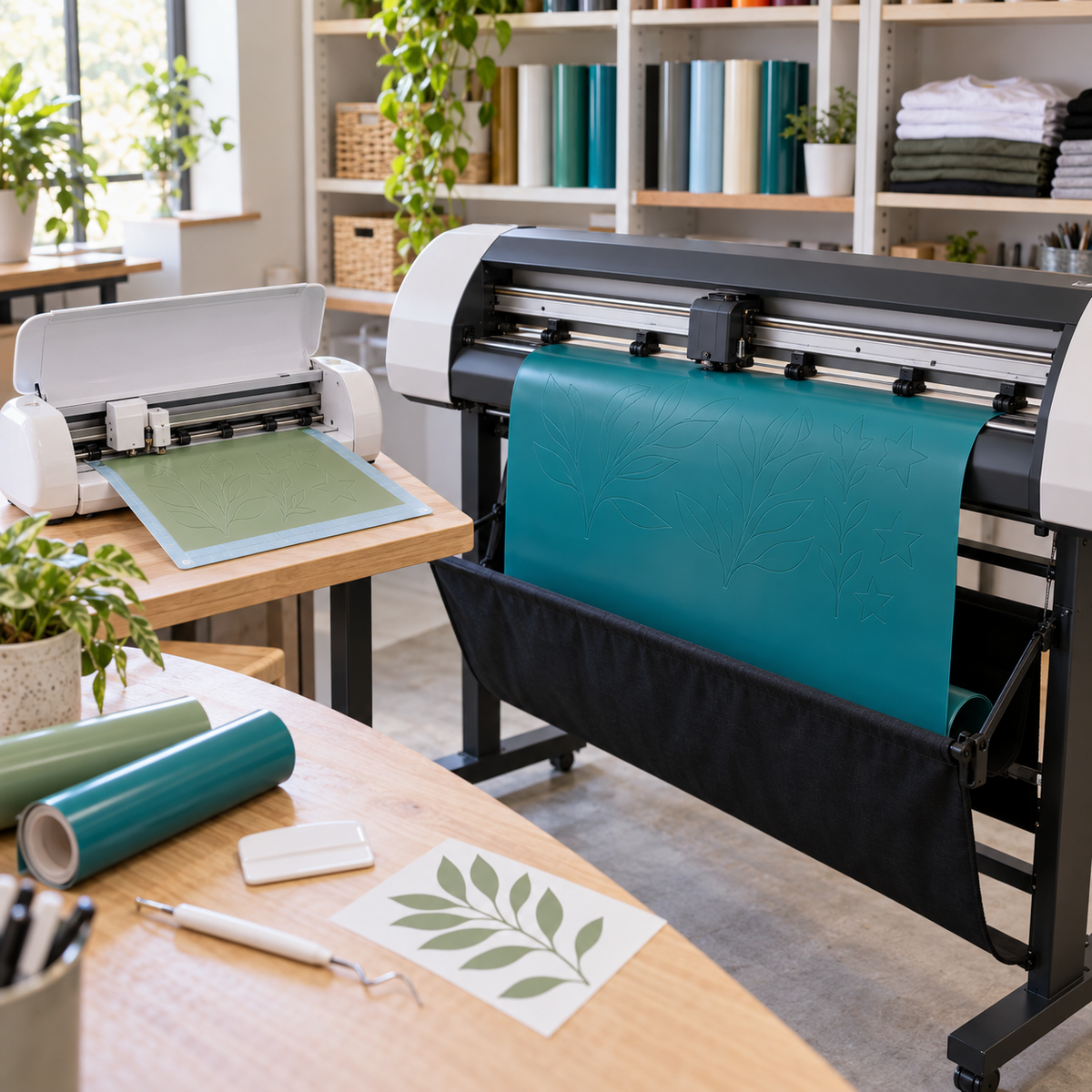
Your vinyl cutter is the engine of a decal or custom apparel business, and the wrong one can slow you down long before you outgrow it. If you are trying to figure out how to choose a vinyl cutter, the decision comes down to what you make, how much you make, and how big it needs to be. This guide breaks down the features that matter, compares hobby and commercial machines, and helps you match a cutter to your business.
Hobby Cutters vs. Commercial Cutters
Hobby or desktop cutters are designed for occasional projects. They are compact, quiet, easy to set up, and usually tied to cloud-based or beginner-friendly software. Many rely on a cutting mat and work best on smaller sheets.
Commercial or prosumer cutters are built for regular production. They tend to offer wider cut widths, roll feeding without a mat, stronger tracking over long runs, more control over blade settings, and software that supports professional file workflows. The jump in price usually reflects that they are expected to run all day without babysitting.
Neither category is automatically better. The best vinyl cutter for a small business is the one that keeps up with your orders without forcing you to work around its limits.
The Features That Matter Most
Cut width: 12 inches vs. 24 inches
Cut width sets the largest design you can cut in one piece. A 12-inch cutter covers most shirt designs, tumbler decals, and small signs, and it pairs nicely with 12-inch rolls of HTV and adhesive vinyl. A 24-inch cutter opens up rear-window lettering, larger wall decals, banners, yard sign graphics, and the ability to nest several shirt designs side by side to cut more per pass. Many vinyls, including ORACAL 651, come in both 12-inch and 24-inch widths, so a wider cutter can also lower your cost per design.
Cutting force
Force determines what materials you can cut cleanly. Standard HTV and adhesive vinyl need relatively little force, but thicker specialty films such as brick or puff HTV, reflective vinyl, flock, and stencil materials need more. If you plan to offer specialty products, compare the maximum force listed by each manufacturer.
Tracking and long cuts
Tracking is how straight the material feeds through the machine. Poor tracking can cause a long cut to wander off the edge of a roll, especially on runs several feet long. If you plan to cut long banners or batch many designs on a roll, look for a machine known for stable tracking and a roll-feeding system.
Optical registration for print-and-cut
If you plan to sell full-color decals or printable HTV, your cutter needs to read registration marks printed around the design so it can cut accurately around the artwork. Check whether a machine supports print-and-cut, which mark types it reads, and how large an area it can register.
Software
Software can make or break a cutter. Consider whether it works offline, whether it imports the file types you use (SVG, DXF, PDF, AI, and others), whether it handles weed lines and nesting, and whether you need to buy a separate upgrade or plug-in for advanced features.
Speed
Faster is not always better. Most operators slow down for intricate designs and thick materials to keep edges clean. Raw speed matters most for large, simple designs and high-volume runs.
Roll feeding and mats
Mat-based cutting is fine for sheets but limits length and adds a step. Roll-fed machines cut straight from the roll, which saves time and material when you run long jobs.
Footprint
Measure your workspace. A 24-inch cutter is noticeably wider and often works best on a dedicated stand with room for rolls to feed from behind and material to exit in front.
Blade options
Look for a machine that accepts different blade angles. A 45-degree blade handles everyday vinyl, while a 60-degree blade is better for thick materials. Our post on the difference between 45 and 60 degree blades explains when to use each.
Match the Cutter to Your Budget and Volume
| Your situation | What to prioritize |
|---|---|
| Hobbyist or side business making shirts and tumblers | 12-inch width, easy software, solid cutting quality |
| Growing apparel shop with steady weekly orders | Reliable tracking, roll feeding, nesting in software, room to add print-and-cut |
| Sign and decal maker, vehicle graphics, wall decals | 24-inch width, strong tracking on long cuts, higher cutting force |
| Full-color decals or printable HTV | Accurate optical registration and print-and-cut support |
Also count the hidden costs: replacement blades, cutting mats if your machine uses them, a stand, software upgrades, and the time you spend fixing failed cuts. A cheaper machine that wastes a few feet of vinyl every week can end up costing more than a sturdier one.
Think about where you want to be in a year, not just today. Buying a cutter that you will outgrow in six months often costs more than buying the right machine once.
Siser Romeo: Options We Carry
At Atlanta Vinyl, our vinyl cutters collection includes Siser's high-definition cutters, which are a natural fit for shops already using Siser HTV.
- Siser Romeo is the 24-inch sibling, built for wider work like larger decals and signage, or for nesting more designs per cut.
Accessories include a Universal Cutter Stand, cutting mats, and precision blades. For a closer look at what these machines bring to a growing shop, read why Siser Romeo levels you up, and check each product page for full specifications on force, speed, and print-and-cut capabilities.
Protect Your Investment
Even the best cutter only performs as well as its blade and settings. A dull blade causes dragging, torn corners, and incomplete cuts that look like machine problems. Learn why changing your vinyl cutter blade matters, keep spares on hand, and make test cuts a habit whenever you change materials. Our post on why test cuts are essential shows how a small square can save a whole roll.
Frequently Asked Questions
Should I buy a 12-inch or 24-inch vinyl cutter?
Choose 12 inches if you mainly make shirts, tumblers, and small decals. Choose 24 inches if you want to cut large decals, signs, or vehicle lettering, or nest more designs per run.
What is the best vinyl cutter for a small business?
The best choice is a machine with reliable tracking, enough force for your materials, software that fits your workflow, and a width that matches your largest regular jobs.
Do I need print-and-cut?
Only if you plan to sell full-color decals, stickers, or printable HTV. If you work only with solid-color vinyl, it is not essential.
Which blade comes with the Siser Romeo?
The Juliet includes two 45-degree blades and one 60-degree blade.
Find the Right Cutter for Your Shop
Knowing how to choose a vinyl cutter means looking past the price tag to cut width, force, tracking, software, and your real order volume. Browse cutters, blades, and accessories at Atlanta Vinyl, and reach out if you want help picking the machine that fits your business.