
Temperature and time get most of the attention, but pressure is the setting that quietly decides whether a transfer bonds into the fabric or peels off in the wash. The trouble is that heat press pressure settings are often described with vague words like light, medium, and firm, and every press adjusts a little differently. This guide explains what pressure does, what each level feels like, and how to adjust heat press pressure on manual and pneumatic machines.
What Pressure Actually Does
Heat activates the adhesive on HTV, DTF transfers, and other heat-applied materials. Pressure pushes that softened adhesive into the weave of the fabric so it can grip the fibers. With too little pressure, the adhesive sits on top of the fabric and never locks in. With too much, it can be squeezed out past the edges of the design, or a thick specialty material can be flattened and lose its texture.
Pressure also helps heat transfer evenly. A platen that is not making firm, even contact leaves pockets where the transfer gets less heat, which can look like a temperature problem when it is really a pressure problem.
What Light, Medium, and Firm Feel Like
Most transfer instructions specify a pressure level rather than an exact number, because manual presses rarely show pressure on a gauge. These descriptions are general guidelines, and your transfer's instructions always come first.
| Pressure | How it feels on a manual press | Often called for with |
|---|---|---|
| Light | The handle closes and locks with little effort. The platen makes full contact but is barely compressing the garment. | Heat-sensitive or textured materials and some specialty films |
| Medium | You need a steady push with one hand to lock the handle. There is noticeable resistance in the last part of the motion. | Many standard HTVs and printable HTVs |
| Firm | Locking takes a firm push, often with both hands or body weight. The garment is clearly compressed. | Some DTF transfers, glitter, and thicker materials |
For example, Siser ColorPrint PU calls for medium pressure, while SparklePrint and DigiBrick call for medium to firm. Always check the product page and the manufacturer's instructions for the exact settings for each material.
How to Set Pressure on a Clamshell or Swing-Away Press
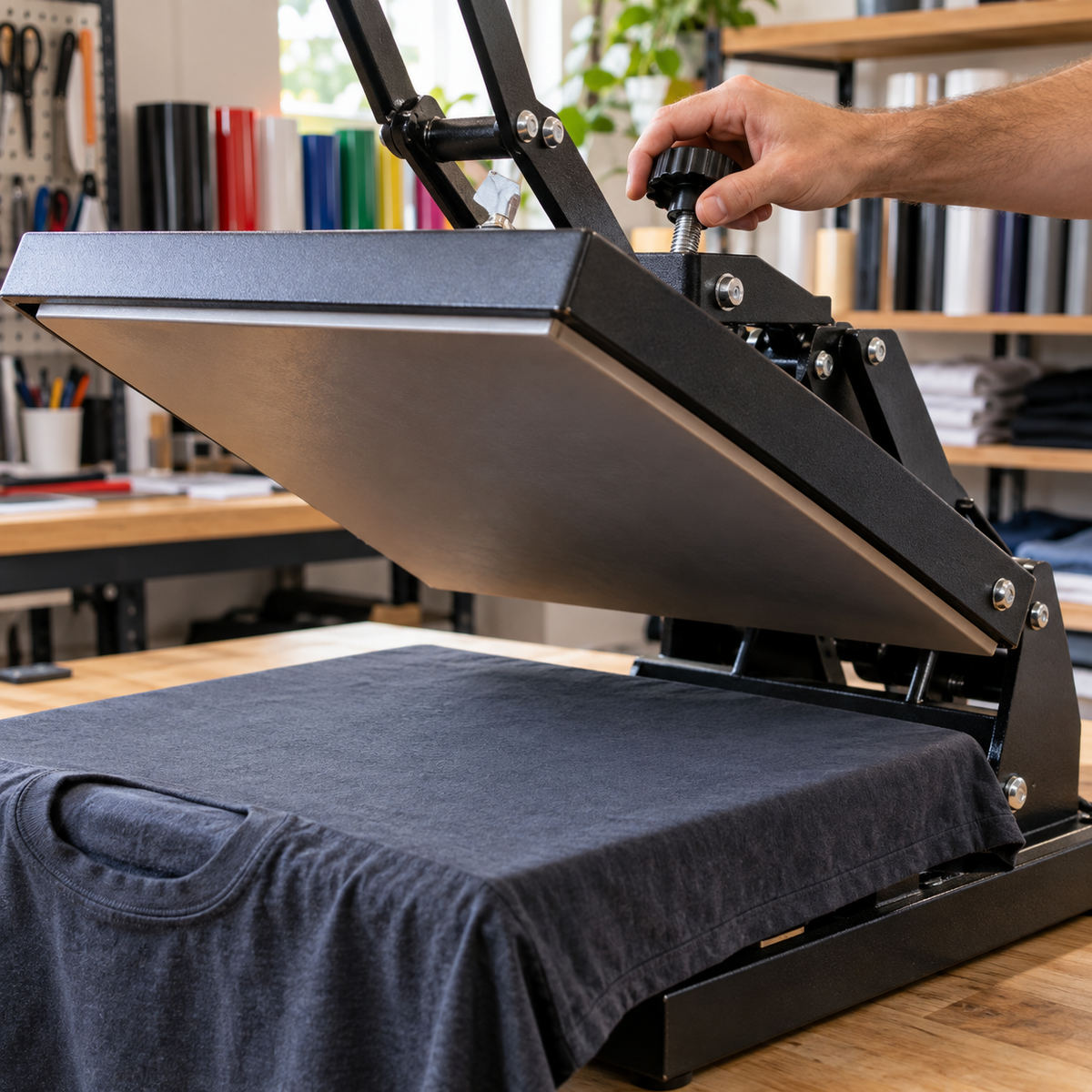
Most manual clamshell and swing-away presses use a pressure adjustment knob, usually on top of the heat platen arm or at the back of the press. Turning it lowers or raises the upper platen, which changes how hard it presses when the handle locks.
- Start with the garment in place. Pressure depends on thickness. Load the actual item you are pressing, or one just like it.
- Back the pressure off. Turn the knob to loosen until the handle closes with almost no resistance.
- Increase in small steps. Tighten a quarter or half turn at a time, closing the press after each adjustment, until you reach the feel your transfer calls for.
- Note the setting. Many presses have no markings, so mark the knob position with a paint pen or write down the number of turns for your common garments.
Never force a handle that will not lock. That stresses the frame and hinge and can damage the press. If your press clamps unevenly, struggles to lock, or pops open, see our post on why your heat press is not closing correctly. If you are still deciding between press styles, our comparison of swing-away vs. clamshell heat presses explains the differences.
Pneumatic Presses and PSI Gauges
Pneumatic presses, such as the HIX N-680 and N-880 or the Hotronix Air Fusion IQ, use compressed air to close the platen. Instead of a knob, you set pressure with a regulator and read it on a PSI gauge. That makes pressure repeatable from job to job and removes the physical effort.
Keep in mind that gauge readings are not universal. The PSI on the gauge reflects air pressure in the system, not the force per square inch on the garment, and the relationship varies by press and platen size. Use the manufacturer's guidance for translating light, medium, and firm into gauge settings for your specific model, then record what works for each product you press.
The Paper Test: Check for Even Pressure
Even pressure across the whole platen matters as much as the overall level. A quick paper test shows you whether your press is clamping evenly:
- Turn the press off and let it cool, or work quickly with heat-resistant gloves.
- Place a strip of printer paper at each of the four corners of the lower platen, plus one in the center.
- Close and lock the press at your normal setting.
- Pull each strip. You should feel similar resistance at every point.
If one strip slides out easily, that area is getting less pressure. Uneven pressure often shows up as transfers that bond on one side but lift on the other. Our guide to fixing hot spots and cold spots covers how to tell pressure problems apart from heat problems.
Thick Garments, Seams, and Pressing Pillows
Hoodies, sweatshirts, and heavy tees are thicker than a standard T-shirt, so you will usually need to loosen the pressure knob to get the same feel. Seams, zippers, buttons, and pockets create high spots that hold the platen up, leaving the area around them with too little pressure.
A heat press pillow solves this by raising the print area above the obstacles so the platen presses evenly on the design. Learn more in what press pillows and PTFE sheets are and when to use them, and see our tutorial on using a heat press pillow for zippers, buttons, and seams. Remember that adding a pillow increases thickness, so readjust pressure after you add one.
Signs of Too Much or Too Little Pressure
Too little pressure
- Edges lift or the transfer peels when you remove the carrier
- The design comes off after the first few washes
- Some areas stick while others do not
Too much pressure
- A shiny box or heat mark around the design
- Adhesive squeezing out past the edges
- Puff, brick, or textured materials pressed flat
- A handle that is very hard to lock
If transfers are cracking or peeling, pressure is a likely culprit alongside time and temperature. Our post on why transfers crack or peel walks through the common mistakes.
Frequently Asked Questions
What is medium pressure on a heat press?
Medium pressure means you need a steady, deliberate push with one hand to lock the handle, with noticeable resistance near the end of the motion.
Do I need to change pressure for different garments?
Yes. Thicker garments need the pressure loosened to achieve the same feel, and thinner items may need it tightened.
How do I know if my heat press pressure is even?
Use the paper test. Place paper strips at each corner and the center, close the press, and pull each one. The resistance should feel similar everywhere.
What PSI should I use on a pneumatic press?
It depends on the press and the material. Follow the manufacturer's recommendations for your model and record settings that work for each transfer.
Dial In Your Press
Once you understand heat press pressure settings, you will spend less time reprinting failed transfers and more time shipping orders. If your current press makes even pressure a struggle, browse the heat presses at Atlanta Vinyl to find a clamshell, swing-away, or pneumatic model that fits your workflow.