
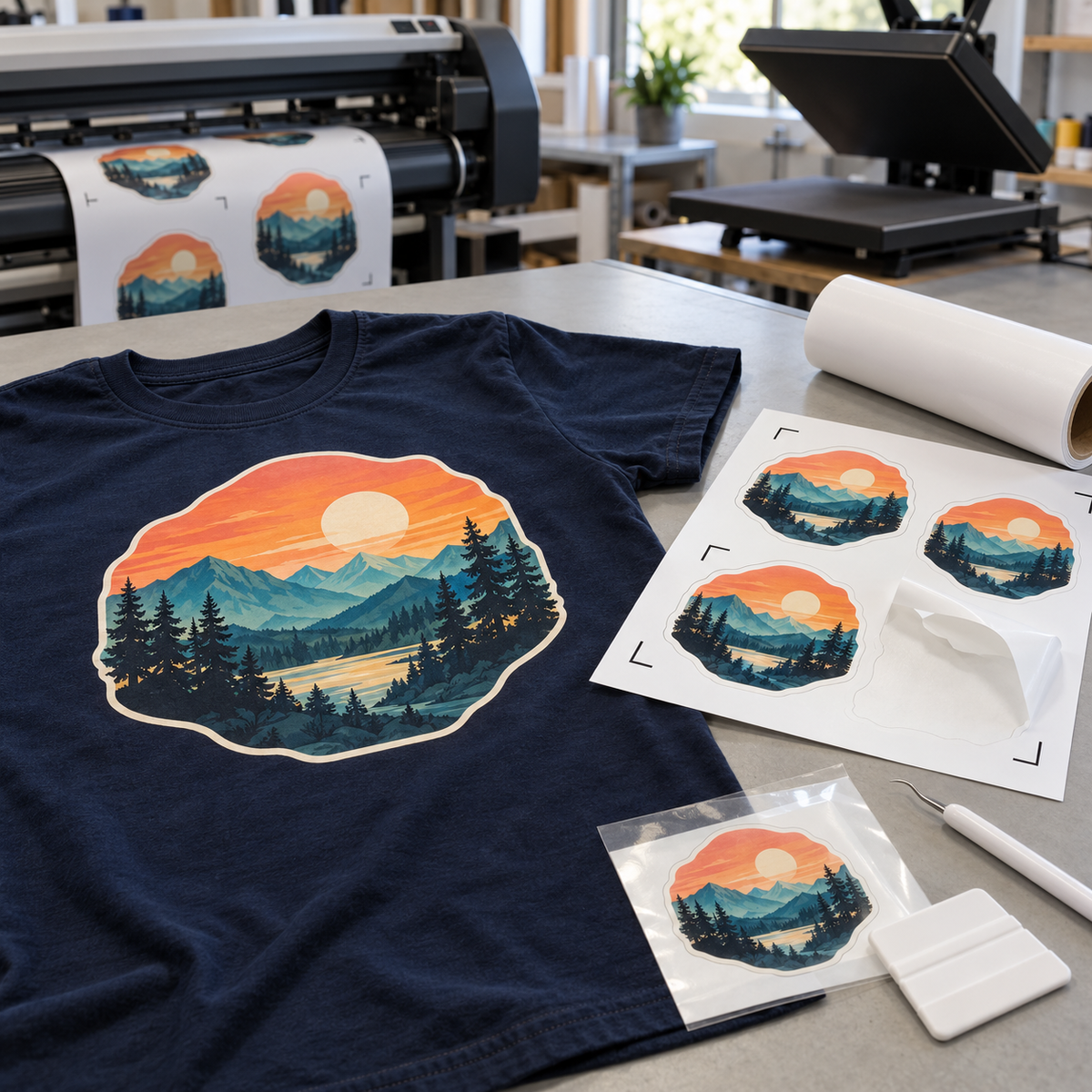
Printable HTV lets you put full-color photos, gradients, and detailed logos on a shirt without cutting and layering a dozen colors. The catch is that every print and cut vinyl is built for a specific printer and ink, and the wrong match means smeared prints or transfers that will not stick. Here is how Siser ColorPrint, S-Print, Hi-5 Print Matte, and EasyColor DTV compare, so you can pick the best printable heat transfer vinyl for your setup.
How Printable HTV Works
Printable heat transfer vinyl is a white or specialty film with a print-receptive top coat and a heat-activated adhesive on the back. You print your design onto the film, cut around it with a cutter that reads registration marks, weed away the excess, and lift the design with a masking tape so it can be positioned and pressed. All of the Siser printable films covered here are PU (polyurethane) based and CPSIA certified.
The biggest decision is not the film. It is the printer. Most printable HTV is designed for wide-format eco-solvent, solvent, or latex printers, and only one product in this lineup is made for a regular desktop inkjet.
Printer Requirements: Read This First
- Eco-solvent and solvent printers work with every Siser printable film in this guide except EasyColor DTV.
- Latex printers work with ColorPrint PU, ColorPrint Extra PU, Hi-5 Print Matte, SparklePrint, and Printable Sub Block, but not with ColorPrint Easy, S-Print, or DigiBrick.
- Home inkjet printers are only compatible with EasyColor DTV. None of the other printable HTVs work with home inkjet, toner (laser), or sublimation printers.
If you already run an eco-solvent printer, our post on eco-solvent printing and specialty HTV films covers the printing side in more depth. If you only have a desktop inkjet, skip ahead to the EasyColor DTV section.
Printable HTV Comparison Table
| Product | Material | Thickness | Ink compatibility | Press temp | Best for |
|---|---|---|---|---|---|
| Siser ColorPrint Easy | PU | See product page | Eco-solvent, solvent | 300°F | Easy weeding and masking; heat-sensitive materials |
| Siser ColorPrint PU (Gloss) | PU, glossy | 70 microns / 2.8 mil | Eco-solvent, solvent, latex | 311°F, medium pressure, 15 s | Cotton, polyester, blends, leather; stretchy performance wear |
| Siser S-Print | PU, soft matte | 85 microns / 3.5 mil | Eco-solvent, solvent | 248°F, medium pressure, 10–15 s | Soft matte finish at a low temperature |
| Siser Hi-5 Print Matte | PU, matte | 85 microns | Eco-solvent, solvent, latex | 250°F, 5 s | Heat-sensitive fabrics; 100% polyester, rayon, polypropylene, performance wear |
| Siser EasyColor DTV | Inkjet-printable HTV | See product page | Desktop inkjet | See product page | Crafters and small shops without a wide-format printer |
Always confirm time, temperature, pressure, and peel on the product page before pressing, since settings can vary by substrate.
Siser ColorPrint Easy
Siser ColorPrint Easy is the most forgiving film to weed and mask in the ColorPrint family, which makes it a good starting point for shops new to print and cut. It presses at 300°F, a bit lower than ColorPrint PU, so it is a sensible choice for materials that do not like high heat. It is designed for eco-solvent and solvent inks only, so it is not the film for latex or water-based home printers.
Siser ColorPrint PU
Siser ColorPrint PU (Gloss) is the all-rounder. At 70 microns (2.8 mil), it is thin and stretchable, so it moves with performance wear, and it works on cotton, polyester, blends, and even leather. The glossy surface makes colors look saturated. It accepts eco-solvent, solvent, and latex inks and presses at 311°F with medium pressure for 15 seconds.
Need to print onto nylon or other hard-to-bond substrates like canvas, pennants, bags, or shoes? Siser ColorPrint Extra PU (Semi Gloss) is the heavier 90-micron (3.5 mil) sibling built for those jobs.
Siser S-Print
Siser S-Print is an 85-micron (3.5 mil), water-based film with a soft matte surface. Its low application temperature of 248°F at medium pressure for 10 to 15 seconds is helpful when you want to limit heat exposure. Like ColorPrint Easy, it is designed for eco-solvent and solvent printers, not latex.
Siser Hi-5 Print Matte
Siser Hi-5 Print Matte is built for the fabrics that scorch or shine under a heat press. It applies at 250°F for only 5 seconds, which helps eliminate heat marks on 100% polyester, rayon, polypropylene, and performance fabrics. It is 85 microns thick and works with eco-solvent, solvent, and latex inks, which makes it one of the more flexible options for shops running latex printers.
Siser EasyColor DTV
Siser EasyColor DTV (Direct to Vinyl) is the only printable HTV in this lineup that runs through a regular desktop inkjet printer. You print, cut on your cutter, and mask with TTD High Tack Mask. It is a practical entry point for crafters who want full color without investing in a wide-format printer. We cover the full process in turning your inkjet printer into a heat transfer machine with EasyColor DTV, and our overview of inkjet printable vinyl for last-minute designs explains where inkjet transfers fit.
Other Printable Films Worth Knowing
- SparklePrint: a 190-micron white printable film with silver glitter specks under a smooth surface, for full-color designs with sparkle.
- DigiBrick: a 750-micron printable film, even thicker than 600-micron Brick, for hat graphics and faux patches. Eco-solvent and solvent only.
- ColorPrint Aurora: a 170-micron iridescent, color-shifting printable film for eco-solvent and solvent printers.
- Printable Sub Block: a semi-gloss printable HTV that blocks dye migration on sublimated polyester.
The Print and Cut Workflow
- Set up the file. Build your design in your print and cut software with registration marks and a cut line around the artwork. A small offset bleed helps hide minor cut drift.
- Print. Use the correct media profile for your film and printer. Let the ink dry fully according to your ink and printer manufacturer's guidance before masking. Solvent-based inks in particular need time to dry.
- Cut. Load the print into a cutter with an optical sensor that reads registration marks, then contour cut. Do a test cut on a scrap first to dial in blade depth.
- Weed. Remove the excess film around the design.
- Mask. Printable HTV has no heat-resistant carrier, so you need a masking tape such as TTD Easy Mask or TTD High Tack Mask to lift and position the design. Burnish it well, then peel the backing.
- Press. Preheat the garment for 2 to 3 seconds, position the design, and press using the film's settings.
- Peel hot. Remove the mask while it is still hot, as directed for the ColorPrint family.
Frequently Asked Questions
Can I use printable HTV in my home inkjet printer?
Only EasyColor DTV is designed for a desktop inkjet. ColorPrint, S-Print, Hi-5, SparklePrint, DigiBrick, and the other films in this guide require eco-solvent, solvent, or (for some) latex printers.
Why do I need masking tape instead of a carrier?
Printable films are printed on directly, so there is no clear heat-resistant carrier on top. A mask like TTD Easy Mask or TTD High Tack Mask holds the weeded design together for placement and pressing.
What is the best printable heat transfer vinyl for polyester?
For heat-sensitive polyester and performance fabrics, Hi-5 Print Matte is a strong choice because of its 250°F, 5-second application. For sublimated polyester where dye migration is a concern, look at Printable Sub Block.
Which printable HTV is best for beginners?
If you have an eco-solvent printer, ColorPrint Easy is the easiest to weed and mask. If you only have a home inkjet, start with EasyColor DTV.
Choose the Film That Fits Your Printer
Start with your printer and ink, then pick the film that matches your fabric and finish. Shop the full range of Siser printable HTV and masking supplies at Atlanta Vinyl, and reach out to our team if you want help matching a film to your printer.