
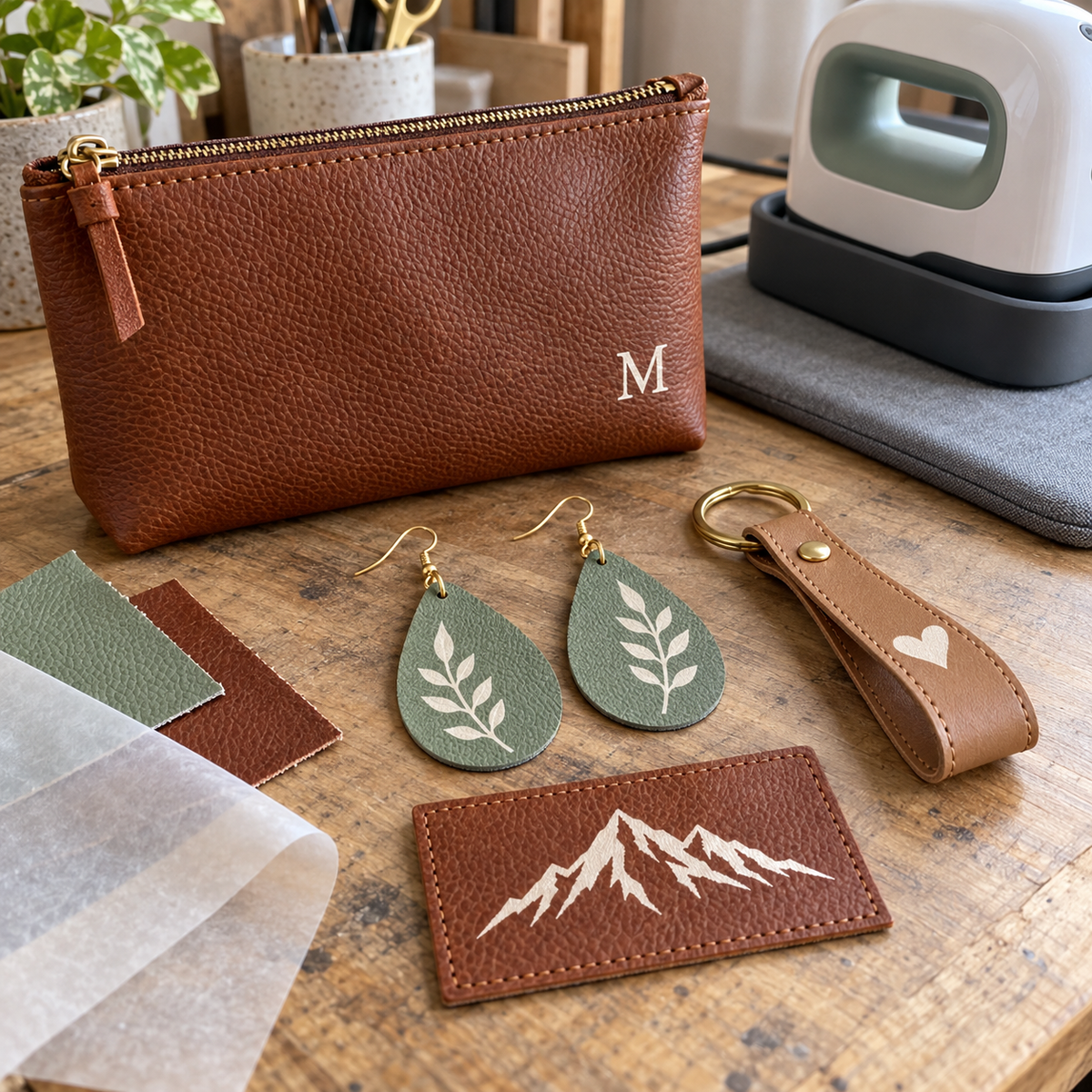
Leather earrings, faux leather keychains, monogrammed bags, and custom patches are some of the most popular handmade items around, and many of them are decorated with heat transfer vinyl. But HTV on leather is not the same as HTV on a cotton tee. Real leather and faux leather react to heat in their own ways, and the wrong settings can leave you with a scorched, shrunken, or glossy mess. Here is how to get clean, lasting results.
Real Leather vs. Faux Leather: Know What You Are Pressing
Before you set your press, figure out exactly what material you have, because the two behave very differently.
Real Leather
Genuine leather is animal hide that has been tanned and often finished with dyes, oils, or a protective topcoat. It contains natural moisture and oils, and too much heat can dry it, darken it, or cause it to shrink and stiffen. Unfinished or lightly finished leather with a slightly textured surface tends to accept HTV adhesive better than heavily coated, glossy leather.
Faux Leather (PU and PVC)
Faux leather, also called vegan leather or leatherette, is usually a fabric backing coated with polyurethane (PU) or polyvinyl chloride (PVC). The coating is a plastic, so it can soften, glaze, bubble, or melt if it gets too hot. Faux leather sheets sold for crafting vary widely in thickness and coating, so one brand may press beautifully while another scorches at the same settings.
| Factor | Real Leather | Faux Leather |
|---|---|---|
| Main heat risk | Drying, darkening, shrinking | Melting, glazing, bubbling |
| Best surface for HTV | Unfinished or matte finish | Matte or lightly textured coating |
| Hardest surface for HTV | Heavy glossy topcoat | Very glossy or patent-style coating |
| Testing | Hidden area or scrap | Scrap from the same sheet or batch |
Always Test First
Because leather and faux leather vary so much, testing is the single most important step. Cut a small shape from the same vinyl you plan to use and press it onto a scrap of the same material, or a hidden spot like the inside of a bag flap or the underside of a strap.
After the test, check for:
- Discoloration or darkening around the design
- Shine or glazing where the platen touched
- Warping, puckering, or shrinking of the material
- Adhesion: once cool, gently flex the piece and try to lift an edge with a fingernail
If any of these show up, adjust one setting at a time and test again.
Settings for HTV on Leather and Faux Leather
There is no single setting that works for every hide or faux leather sheet. The safest approach is to start with the manufacturer's instructions on your vinyl's product page and adjust from there with these guidelines:
Lower the Temperature
If your test piece shows any scorching, glazing, or bubbling, reduce the temperature. A vinyl that bonds at a lower temperature gives you more room to work. Siser ColorPrint Easy, for example, presses at 300°F and is noted as a good choice for heat-sensitive materials, but it is a print-and-cut film that requires an eco-solvent or solvent printer.
Shorten the Time
Leather and faux leather both suffer from long dwell times. Use the shortest time that produces a solid bond. If an edge lifts after cooling, cover it and re-press briefly rather than starting with a longer press.
Use a Cover Sheet
A PTFE sheet between the platen and the material evens out heat and helps prevent shine and scorch marks. It also protects your press from any coating that softens. Our guide on press pillows and PTFE sheets explains how each one helps.
Adjust Pressure Carefully
Medium pressure is a common starting point for HTV, but leather and faux leather can show platen impressions. Too much pressure can emboss the edge of the platen into a soft hide. Too little pressure will not push the adhesive into the surface texture. Thick pieces, like a leather wallet or a padded bag panel, may need the press height adjusted so the pressure is even. A small press pillow underneath can help with uneven items.
Mind the Peel
Follow the peel instructions for your vinyl. If you are unsure, letting the piece cool slightly before peeling gives the adhesive time to set on the less absorbent surface.
Best Vinyl Types for Leather
Siser ColorPrint PU for Full-Color Designs
Siser ColorPrint PU (Gloss) lists leather as a compatible substrate alongside cotton, polyester, and blends. It is a 70-micron (2.8 mil) glossy printable film that works with eco-solvent, solvent, and latex printers, and its recommended application is 311°F at medium pressure for 15 seconds. Like all Siser printable films, it is CPSIA certified and requires a masking tape for transfer. Test on your specific leather before production, since that recommended temperature may be too warm for some faux leathers.
EasyWeed for Solid-Color Designs
For cut designs, Siser EasyWeed is a popular choice. It is thin, weeds easily, presses at a relatively low temperature, and can be peeled hot or cold. Its thin profile keeps it flexible on items like earrings and keychains that bend and move. Browse the full range in our Siser HTV collection.
Be Cautious With Thick Specialty Films
Very thick or textured specialty vinyls usually need more heat, pressure, or time to bond. That can push leather and faux leather past their limits. If you want to try a specialty finish, test it on a scrap first and be prepared to choose a thinner material if the leather shows heat damage.
You can compare all of our cut and printable options in our heat transfer vinyl collection.
Project Ideas
- Earrings: Press a sheet of faux leather before cutting shapes. It is easier to press one flat sheet than dozens of tiny pieces.
- Keychains: Add names, initials, or logos for gifts and small business swag.
- Bags and totes: Monogram a leather or faux leather panel. Use a press pillow inside the bag to lift the area above seams and hardware.
- Patches: Press a design onto faux leather, then cut and sew or attach it to hats and jackets.
- Bookmarks, luggage tags, and wristbands: Simple shapes that show off a crisp design.
Caring for HTV on Leather
Leather and faux leather items are usually not machine washed, which works in favor of the vinyl. To keep designs looking good:
- Wait at least 24 hours after pressing before heavy handling or flexing.
- Spot clean with a damp cloth and mild soap rather than soaking.
- Avoid harsh cleaners, solvents, and leather conditioners directly on the vinyl, which can weaken the adhesive.
- Keep items away from high heat, such as a hot car dashboard, for long periods.
Frequently Asked Questions
Can you put HTV on real leather?
Yes, especially on unfinished or matte-finish leather. Heavily coated, glossy leather can resist bonding. Always test on a scrap or hidden area because heat can darken or shrink the hide.
What temperature should I use for faux leather?
Start with your vinyl's recommended settings from the product page, then reduce temperature and time if your test piece shows shine, bubbling, or warping. Faux leather coatings vary, so test each new batch.
Why is my HTV peeling off faux leather?
The coating may be too slick for the adhesive, or the heat, time, or pressure may be too low. Try a test with slightly more time, or switch to a faux leather with a matte surface.
Is printable HTV good for leather?
Siser ColorPrint PU lists leather as a compatible substrate and is a great option for full-color designs, as long as you have a compatible eco-solvent, solvent, or latex printer.
Create With Confidence
HTV on leather and faux leather rewards a careful approach: identify your material, test on a scrap, keep heat and time in check, and choose a thin, flexible vinyl. Get it right, and you can turn out earrings, keychains, bags, and patches that look professional and last. Shop Atlanta Vinyl for Siser HTV, printable films, PTFE sheets, and presses to bring your leather projects to life.