
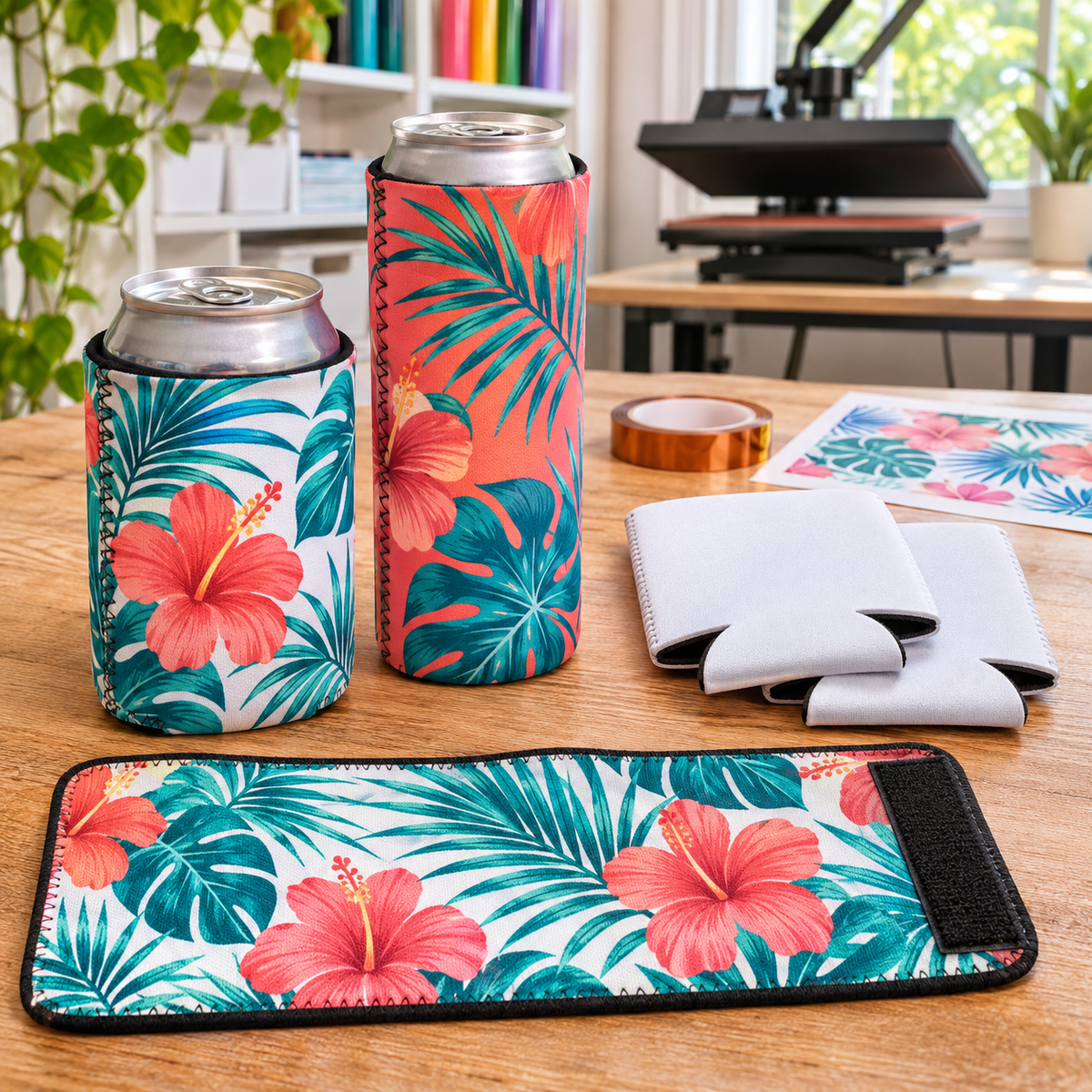
Few products sell in bulk as easily as custom can coolers. Couples order them by the hundred for weddings, families want them for reunions and vacations, and businesses hand them out at events. Sublimated can coolers are inexpensive to produce, press in minutes and give you full-color, photo-quality designs that will not crack or peel. Here is how to sublimate the most popular koozie styles.
Choose Your Can Cooler Style
Our sublimation can cooler and koozie collection includes several styles, each sold in 10-packs:
- Foldable sublimation can coozie (12 oz): a classic neoprene can cooler with a white polyester surface and a generous 4" x 7.5" image area. It presses flat and folds flat for storage and shipping.
- Skinny can beverage insulator (12 oz): sized for slim cans, popular for hard seltzers and bachelorette favors.
- Wrap-around beverage insulator with Velcro: a 4" x 10" flat insulator with a black border and a 3.5" x 8.75" imprint area. It lays completely flat for pressing, then wraps around most standard cans and bottles.
- Jersey bottle insulator: a bottle-size insulator that is popular for team parties and tailgates.
- Neoprene cup sleeve: fits most paper cups, tumblers and tapered glasses, great for coffee shops and branded giveaways.
What You Need
- Sublimation printer, sublimation ink and sublimation paper
- A flat heat press
- Heat-resistant tape
- Butcher paper
- A lint roller
- Optional: a koozie platen, like our koozie platen or the Hotronix can cooler platen, which lets you slide the cooler over the platen for easy pressing
Press Settings
Neoprene can coolers are thicker than shirts and need less pressure than hard goods. Always start with the settings provided for your specific blank. If none are listed, many decorators start around the general polyester fabric range in our sublimation press settings cheat sheet (380–400°F with light to medium pressure) and adjust time with a test piece. Too much time or pressure can flatten the neoprene or leave a shiny outline.
Step-by-Step: Sublimating a Foldable Can Cooler
- Design for the image area. For our foldable coozie, that is 4" x 7.5". Add a small bleed if you want the design to reach the edges.
- Print mirrored on sublimation paper.
- Flatten and lint roll the can cooler. Lint and fibers cause white specks.
- Decide on one or two sides. For a full wrap, you can press one side, flip and press the other, or press a single long design across both sides of the flattened cooler.
- Tape the transfer ink side down so it cannot shift.
- Place butcher paper inside the cooler if pressing one side at a time, to stop ink from passing to the back.
- Cover with butcher paper and press with light to medium pressure.
- Peel hot in one smooth motion and let the cooler cool flat.
Wrap-Around and Flat Insulators
Flat Velcro insulators are the easiest to sublimate because there are no seams or folds. Design to the 3.5" x 8.75" imprint area, tape the transfer and press like a flat textile. They are perfect for bulk orders, since you can fit several on a large press at once if the pressure is even across the platen.
Avoiding Seam Lines and Fold Marks
- Use a koozie platen or a firm insert to keep the cooler flat and open.
- Keep seams at the edges, not in the middle of your design.
- Use busy backgrounds or patterns that disguise small gaps where the folds are.
- Do not over-press. Long press times can leave permanent fold lines in neoprene.
Design Tips for Event Orders
- Weddings: names, date and a monogram or photo. Offer two designs in one order for both sides of the family.
- Bachelorette parties: skinny can coolers with each guest's name.
- Family reunions: family name, year and location, matched to the reunion shirt design.
- Businesses: logo, website and phone number for trade shows and customer gifts.
- Sports teams: bottle insulators with player names and numbers.
Bulk orders are where can coolers shine. Our guide to sublimation gang sheets explains how to print many designs at once to save paper and ink.
Troubleshooting
- Faded colors: increase time slightly or check printer settings. Read why sublimation colors look dull.
- Ink on the back side: place butcher paper inside the cooler.
- Blurry edges: the transfer moved. Tape all corners.
- Shiny press box: too much pressure or heat. Reduce pressure and use a protective sheet.
Frequently Asked Questions
Can I use HTV or DTF on can coolers instead?
Yes, both work on fabric-covered coolers, but sublimation gives the softest, most durable full-color result on white polyester blanks.
Do I need a special platen?
No, you can press flattened coolers on a standard platen. A koozie platen just makes loading easier and helps prevent fold marks.
How do customers wash them?
Hand wash with mild soap and air dry. Sublimated designs will not peel or crack.
Can coolers are a low-cost, high-volume product that customers order again and again for events. Pick the style that fits the occasion, keep your blanks flat and lint free, and test your settings before running a big order. Browse more ideas in our sublimation blanks collection.