
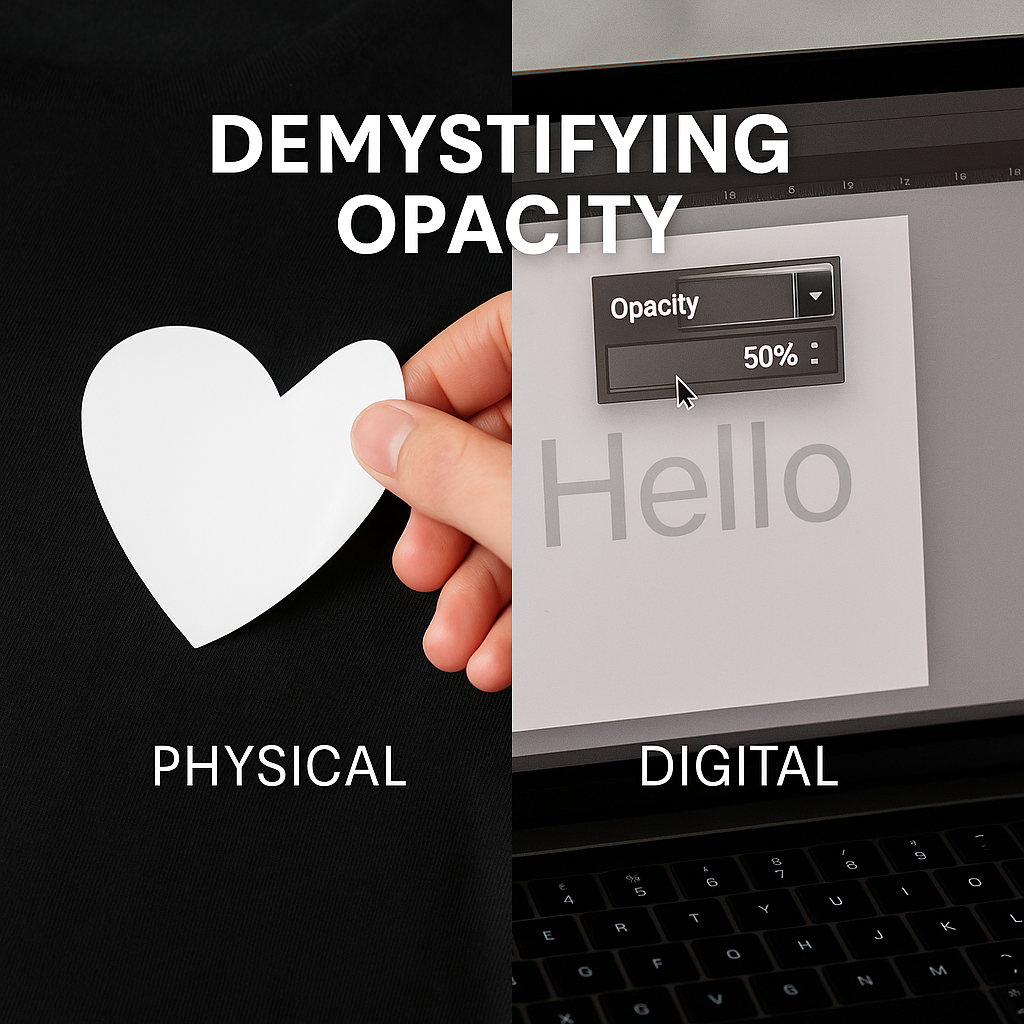
In the world of crafting and design, the term "opacity" comes up in two very different, yet equally important, contexts. You might hear it used to describe a physical material like adhesive vinyl, and you will definitely see it as a setting in your design software. While the core concept is the same—it relates to how see-through something is—its practical meaning and application are distinct in the physical and digital realms.
This guide will demystify opacity for you. We’ll explain what it means for physical materials like the vinyl you use every day, and what it means for the digital designs you create on your computer. Understanding both will help you make better material choices and design with greater precision, ensuring your final projects turn out exactly as you envision.
What is Opacity in Physical Materials?
In the physical world, opacity refers to the degree to which a material blocks light from passing through it. A completely opaque material allows no light to pass through, meaning you cannot see what is underneath it. A completely transparent material, like glass, allows all light to pass through. Everything else falls somewhere on the spectrum of translucency.
For crafters working with vinyl, this concept is critical. The opacity of your vinyl determines its ability to cover the surface it's applied to without the underlying color or pattern showing through.
Why Material Opacity Matters
Imagine you want to apply a white vinyl decal onto a black t-shirt or a dark-painted wooden sign. If your vinyl has poor opacity, the dark background will show through, making your white design look gray, dull, and unprofessional. High-opacity vinyl, on the other hand, provides excellent coverage, ensuring your colors remain true and vibrant regardless of the surface color.
Key Scenarios Where Material Opacity is Crucial:
- Covering Existing Graphics: When you need to place a new design or logo over an old one (a "cover-up" job), you must use a vinyl with 100% opacity. Many brands offer special "blockout" vinyl designed specifically for this purpose.
- Light Colors on Dark Surfaces: Applying light-colored vinyl (like white, yellow, or pastels) onto dark backgrounds is the most common test of opacity. A high-quality, opaque vinyl like Siser EasyWeed heat transfer vinyl or Oracal 651 adhesive vinyl ensures that colors stay bright and true.
- Window Graphics: For window signs, you often want the design to be opaque so it’s easily readable from the outside and isn't washed out by the light coming from inside the store.
In general, most standard adhesive and heat transfer vinyls are designed to be very opaque. However, materials that are inherently not opaque, like etched glass vinyl or certain glitter HTVs, are used for specific decorative effects where transparency is part of the appeal.
What is Opacity in Digital Design and Printing?
In the digital world, opacity is a setting you can control in your design software, such as Cricut Design Space, Silhouette Studio, Adobe Illustrator, or Photoshop. It determines the level of transparency for a specific object, layer, or image.
- 100% Opacity: The object is completely solid. You cannot see anything behind it.
- 0% Opacity: The object is completely transparent, or invisible.
- 50% Opacity: The object is semi-transparent, allowing you to see the layers or objects behind it.
This digital setting is a powerful tool for creating visual effects and preparing your designs for different types of production.
How Digital Opacity is Used in Crafting
For vinyl crafters, the opacity setting in design software serves a few different functions.
Visualizing Layered Designs:
When you are creating a multi-color design with heat transfer vinyl (HTV), you often stack layers on top of each other. By temporarily reducing the opacity of the top layers in your software, you can see how all the pieces align. This helps you check for proper placement and ensure everything fits together perfectly before you send the design to your cutting machine. Once you’re done aligning, you would set the opacity back to 100% before cutting.
Creating Mockups:
Opacity is essential for creating realistic mockups to show clients or to list products in your online store. You can take a photo of a blank t-shirt or mug, then place your digital design over it. By reducing the opacity of the design layer slightly (e.g., to 90-95%), you can make it look more naturally integrated with the product, as if it were actually printed on it. This helps customers visualize the final product.
Designing for Sublimation or DTF Printing:
Unlike cutting vinyl, printing processes like sublimation, DTF (Direct-to-Film), and DTG (Direct-to-Garment) can actually reproduce transparency. In these cases, the opacity setting in your software directly translates to the final print.
- Faded or "Vintage" Effects: You can lower the opacity of a design to make it look like a faded, vintage print on a t-shirt.
- Watermark Effects: You can create a subtle watermark on an image or pattern by setting a logo or text to a low opacity (e.g., 10-20%).
- Soft Edges and Blending: Gradient tools often use changes in opacity to create a smooth blend from a solid color to transparency, which can be printed to achieve beautiful, soft-edged effects.
The Key Takeaway: Digital vs. Physical
It's crucial to remember that for standard vinyl cutting, the opacity setting in your software is purely a visual aid. Your cutting machine only cares about the cut lines (the edges of the shape); it does not recognize color, fill, or opacity. Setting a design to 50% opacity will not make your vinyl cutter cut a semi-transparent piece of vinyl. It will cut the shape from the solid, opaque vinyl you load into the machine.
The exception is "Print Then Cut" features, where your printer will first print the design (including any transparency effects) onto printable vinyl, and the machine will then cut around it.
Understanding the dual meanings of opacity empowers you to be a more knowledgeable and effective crafter. On the physical side, choosing a high-opacity material like Oracal 651 ensures your colors pop, no matter the background. On the digital side, using the opacity setting as a tool in your design software allows for precise layering, realistic mockups, and advanced print effects. By mastering both concepts, you gain greater control over your projects from the initial design to the final, finished product.