
Why Dark Fabrics Are a Favorite Canvas for Custom Apparel
Black and dark-colored shirts are some of the best-selling blanks in the custom apparel industry — and for good reason. They make colors pop, they hide imperfections, and they're always in style. The great news is that DTF (Direct-to-Film) transfers work beautifully on dark fabrics. But there are a few things you need to understand to get the best results every time.
How DTF Handles Dark Fabrics
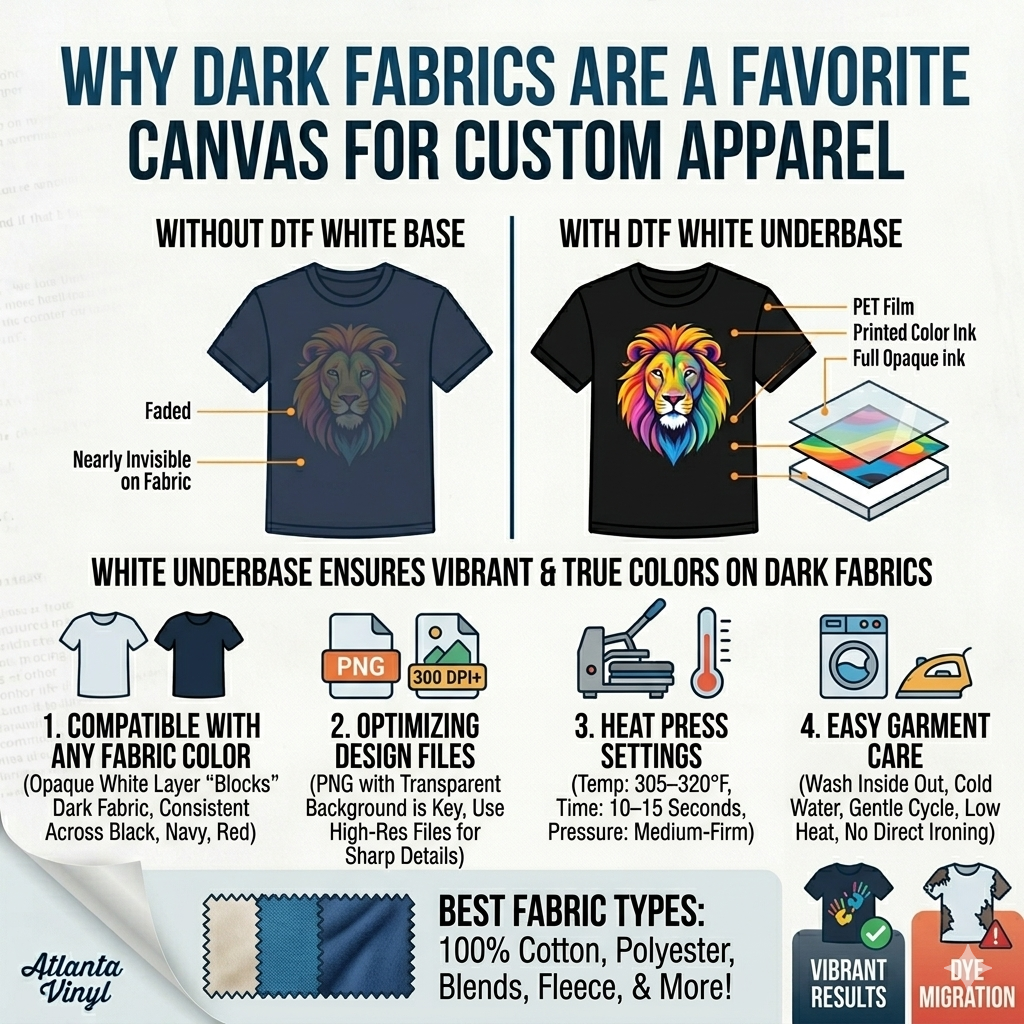
Unlike sublimation (which only works on light, polyester-heavy fabrics), DTF transfers are fully compatible with dark fabrics because of the white ink underbase. Every DTF transfer includes a white ink layer that prints beneath the visible colors. This opaque base "blocks" the dark fabric color from showing through and ensures your design appears bright, bold, and true to the original artwork — even on jet black garments.
This means you can press the same DTF transfer on a white shirt, a navy hoodie, and a black tee and get consistent, vivid results across all three.
What to Look for in Your Design Files
When ordering DTF transfers for dark fabrics, your design files don't need to look any different than they would for light fabrics. The white ink underbase is generated automatically during the printing process based on the non-transparent areas of your design. However, there are a few best practices to follow:
- Use transparent backgrounds: Make sure your design file has a transparent background (PNG format is ideal), not a white or colored fill. Any white fill in your file will print as white on the garment — which may or may not be what you want.
- High resolution matters: Fine lines and small text benefit from 300 DPI or higher artwork, as the white underbase needs to match the color layer precisely for sharp results.
- Account for the white border: Some designs with very fine or feathered edges may show a subtle white outline on dark backgrounds. If this is a concern, ask your supplier about choke settings or underbase adjustment.
Heat Press Settings for Dark Garments
The heat press settings for dark fabrics are the same as for light fabrics when using DTF transfers. A general guideline is:
- Temperature: 305–320°F (152–160°C)
- Time: 10–15 seconds
- Pressure: Medium-firm
- Peel: Warm or cold peel, depending on the transfer
Always follow the specific instructions provided with your transfer order, as formulations can vary by supplier. Atlanta Vinyl includes pressing instructions with every order.
Best Fabric Types for DTF on Dark Backgrounds
DTF transfers work on virtually any fabric, including cotton, polyester, cotton/poly blends, tri-blends, fleece, and more. For dark fabrics specifically, 100% cotton produces the most vibrant and clean results, while high-polyester blends may show a slight dye migration issue (called "ghosting") if not addressed. A finishing spray or pressing through parchment can help minimize this on performance fabrics.
Care Instructions After Pressing
To keep DTF prints looking great on dark fabrics:
- Turn the garment inside out before washing.
- Wash in cold water on a gentle cycle.
- Avoid bleach and harsh detergents.
- Tumble dry on low or air dry.
- Do not iron directly on the transfer.
DTF transfers are one of the most versatile and reliable decoration methods for dark fabrics on the market today. Whether you're making custom black tees, navy hoodies, or dark athletic wear, Atlanta Vinyl's DTF transfers deliver crisp, wash-resistant results that hold up over time. Upload your design, choose your transfer size, and let us handle the rest.